Touch Metal
Pre-Loaded Sample Programs
Your Touch Metal board comes with a few pre-loaded programs available. These may be helpful as sources of coding ideas, sample functions, and so on.
There are four programs pre-loaded in the board. To access these, press and hold any button while applying power to the board.
The board will display the following message:
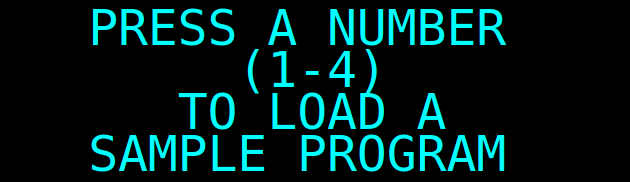
Press a number (1, 2, 3 or 4) to load the corresponding sample program. Pressing any other key will cancel the operation.
No feedback is given: the board simply switches to the default power-up screen. You can tell the load worked though because the displayed instruction will be something other than NOP.
At this point, you can just press the Run/Halt button to execute the program. See the listings below for details of what these programs do.
Details of Pre-Loaded Sample Programs
Sample Program 1 is a program that adds consecutive numbers (1-10) and displays the sum as it runs.Sample Program 2 is a prime number generator. It generates consecutive primes (beginning with 2) and displays them. Note that this only generates 8-bit primes, so after 251. (0373 octal) it will basically start over.
Sample Program 3 is a simple dice game. See the code for a detailed description of the game.
Sample Program 4 is a memory-test game. See the code for a detailed description of the game.